For shops that sell online, at the counter, or both
Sell online. Sell at the counter. Run both from one screen.
A shop your customers buy from, a till your staff ring sales on, and one dashboard behind them. The same products, the same stock, counted once. Built and set up for your business, then it is yours to run.
- Your own domain
- Works on a phone and a desktop
- You change the content yourself


A shop that is actually yours
You get a real shop on your own address: a storefront customers browse and buy from, and a private dashboard where you add products, watch orders come in, answer your customers and see what sold. If you also sell over a counter, the till runs on the same products and the same stock.
It is set up for your trade rather than handed to you empty — your categories, your colours, your pages. After that the day-to-day is yours: prices, photos, home page, text. Nothing needs a developer.
Eighteen designs, built for five kinds of shop
Clothing, food, mobile shop, portfolio and medical. Pick the one that fits and the whole shop is set up in that style, pages and all — then the colours, photos and wording are yours to change.
 9 designs
Clothing
New arrivals and a sale row, in black and white.
 6 designs
Food
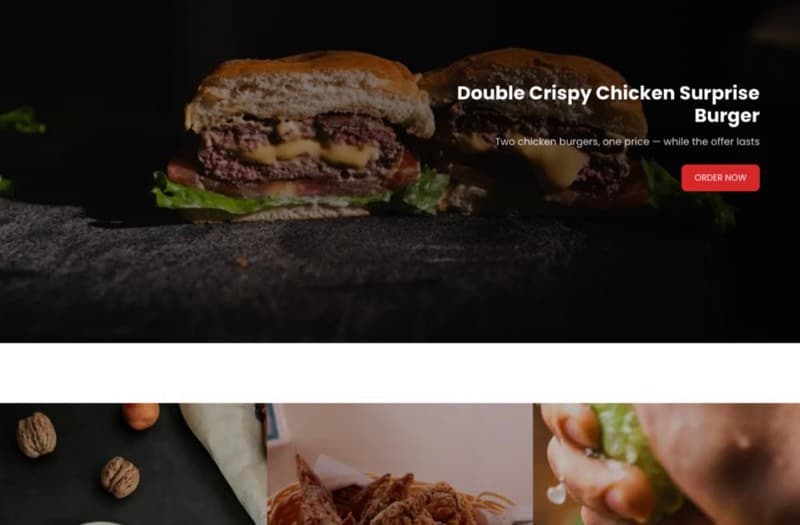
A menu bar across the top and dishes in a menu grid.
 1 design
Mobile shop
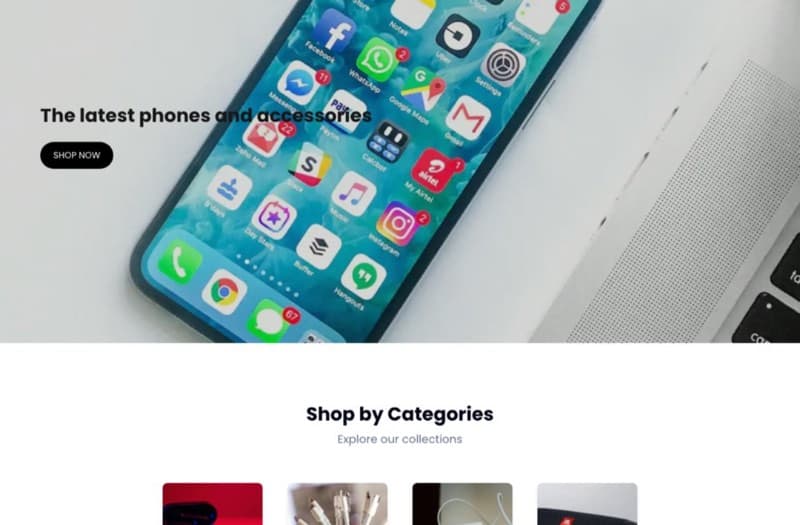
Deal grids, and a row of posts from your blog.
Each one is a starting point. Every colour, block and page can be changed from the dashboard afterwards.
See all eighteen designsEverything a shop needs, already connected
Not a page builder you have to assemble. These are the parts of running a shop, built once and wired to each other — so a sale at the counter and a sale on the website move the same stock.
- Products & stock
- Orders & checkout
- Customers
- Discounts & deals
- Reviews you approve
- Blog & pages
- Your own domain
- One dashboard
- Found on Google
The counter
A real till for your counter, on the same stock as the website
Scan the barcode, take cash or card, print the receipt. It is a screen in the browser you already have open — selling from the same products, the same prices and the same stock count as your shop online, so nothing is ever entered twice.
- ScanBarcode in, line on the bill.
- BillCash, card, or a split of both.
- PrintAn 80mm receipt, in seconds.
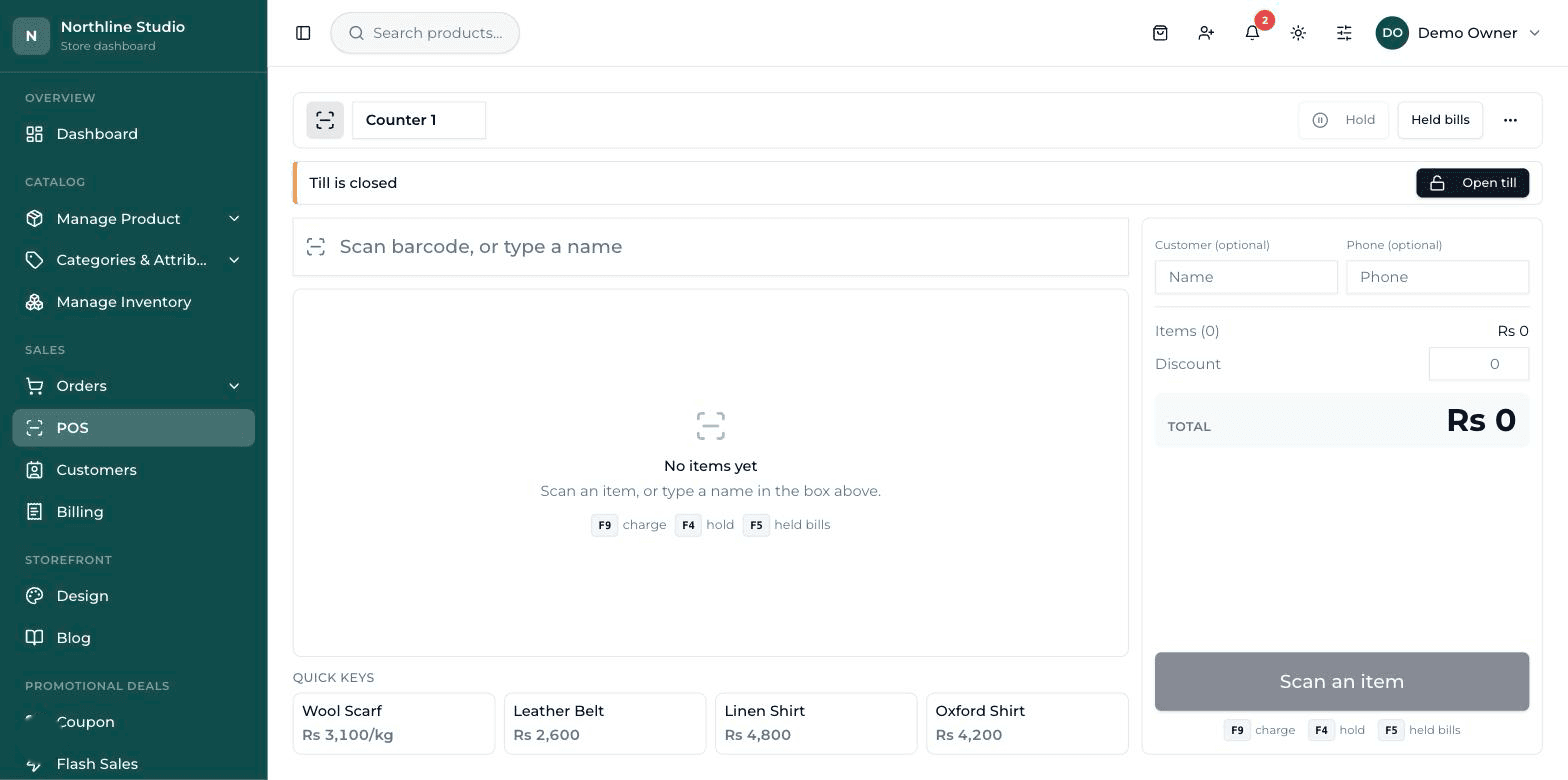
Scan, search, or tap
A scanned barcode drops straight onto the bill, and scanning the same thing again puts its quantity up rather than adding a second line. Nothing without a barcode gets stuck: find it by name, or keep it on screen as a tap tile.
Cash, card, or both
Take it all in cash with the change worked out for you, take it on card, or split it between the two. A split that does not add up to the bill is refused by the server, not just by the screen.
Hold a bill, serve the next customer
Park a bill while that customer goes back for one more thing, then bring it back and finish it. A held bill remembers the goods and not the prices — those are read again when you recall it.
Sell loose goods by weight
Put a price per kilo on a product and sell it by the gram. Type the weight, or tap a quarter, a half or a full kilo, and both the price and the stock follow.
Close the drawer honestly
Open the shift with the float, close it with what is actually in the drawer, and the till shows you what it expected, what you counted, and the difference between them.
Customers who pay later
Keep a running account for the ones who settle at the end of the month, with a limit on each and a statement to print. Going over a limit takes a manager.
It runs in a web browser on a laptop, a desktop or a tablet — nothing to install. It needs an internet connection to sell, because every price and every stock count is read from the server as it happens. And it is switched on shop by shop: sell online only, and it is never in your way.
Everything the till doesThe real thing
This is the screen, not a drawing of it
Every picture below is the dashboard as it comes — our own demo shop, so nothing here is a customer's data.
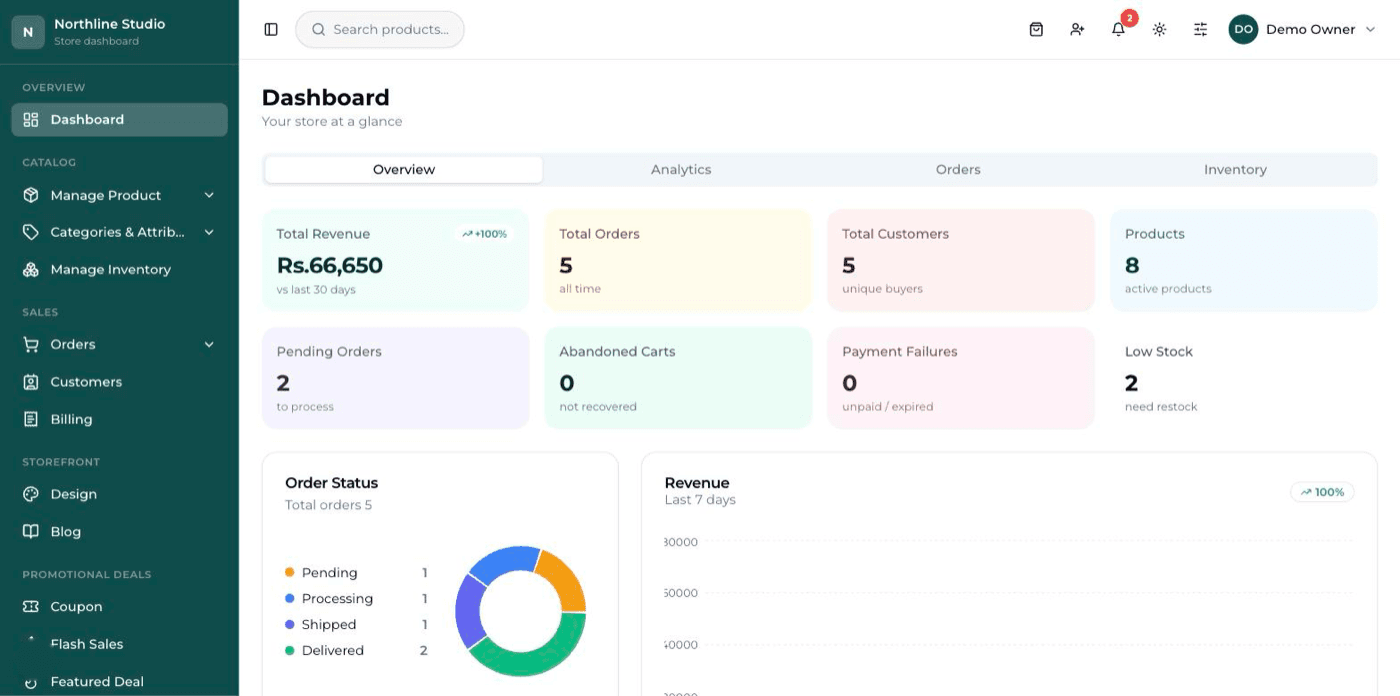
The dashboard on opening it in the morning
Money in, orders waiting, and what is running low — before you do anything else.
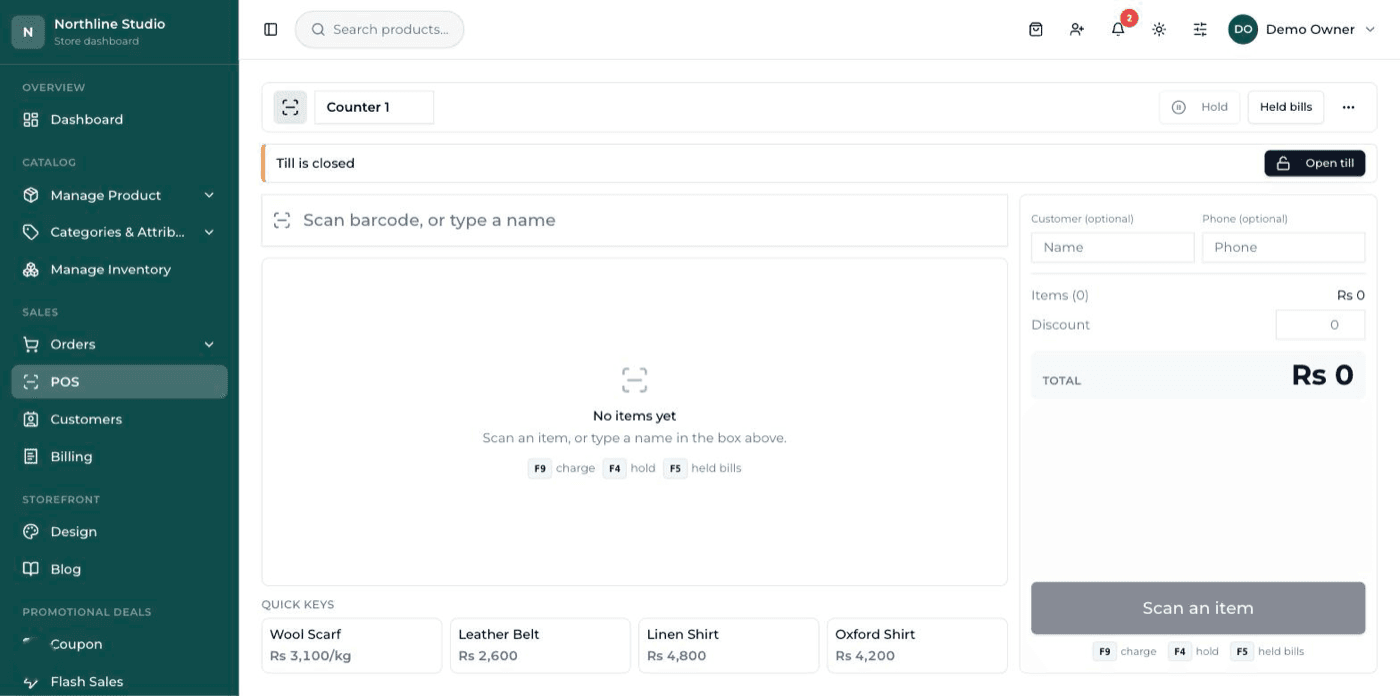
The counter till
Scan, take the money, print the receipt. The same products and the same stock as the website.
How it works
Four steps from a conversation to a shop taking orders.
Step 1: Tell us about the business
What you sell, who buys it, and whether you sell in person as well. A short conversation — by form, email or phone.
Step 2: We build and set it up
Your shop is created, styled for your trade, and filled with your categories and starting products. You get the dashboard login.
Step 3: You make it yours
Change the colours, text, home page and pages yourself from the dashboard. Add the rest of your products at your own pace, or send us the spreadsheet.
Step 4: Go live on your domain
Connect your domain, switch on how you take payment, and start selling. Support carries on after launch.
Pricing
One payment for the build with a yearly care fee, or a monthly subscription. The same product either way.
Monthly
Pay month to month. The smallest amount to start with, and everything is included while you subscribe.
Talk to us MonthlyPrice on request
- Your shop, built and launched
- Your own domain connected
- Hosting, updates and security handled
- Products, orders, customers, discounts and reviews
- Logins for you and your staff
- Support for as long as you subscribe
One-time build + yearly care
Pay once for the build, then a yearly fee that keeps it hosted, updated and supported.
Talk to us One-time build + yearly carePrice on request
- One payment for the build
- Your own domain connected
- Yearly fee covers hosting, updates and backups
- Products, orders, customers, discounts and reviews
- Logins for you and your staff
- Support included with the yearly fee
Ready to put your shop online?
Start with a conversation. No obligation, and we will tell you straight if this is not the right fit for your business.