Selling at the counter
A till for the shop floor, on the same products and the same stock as the website.
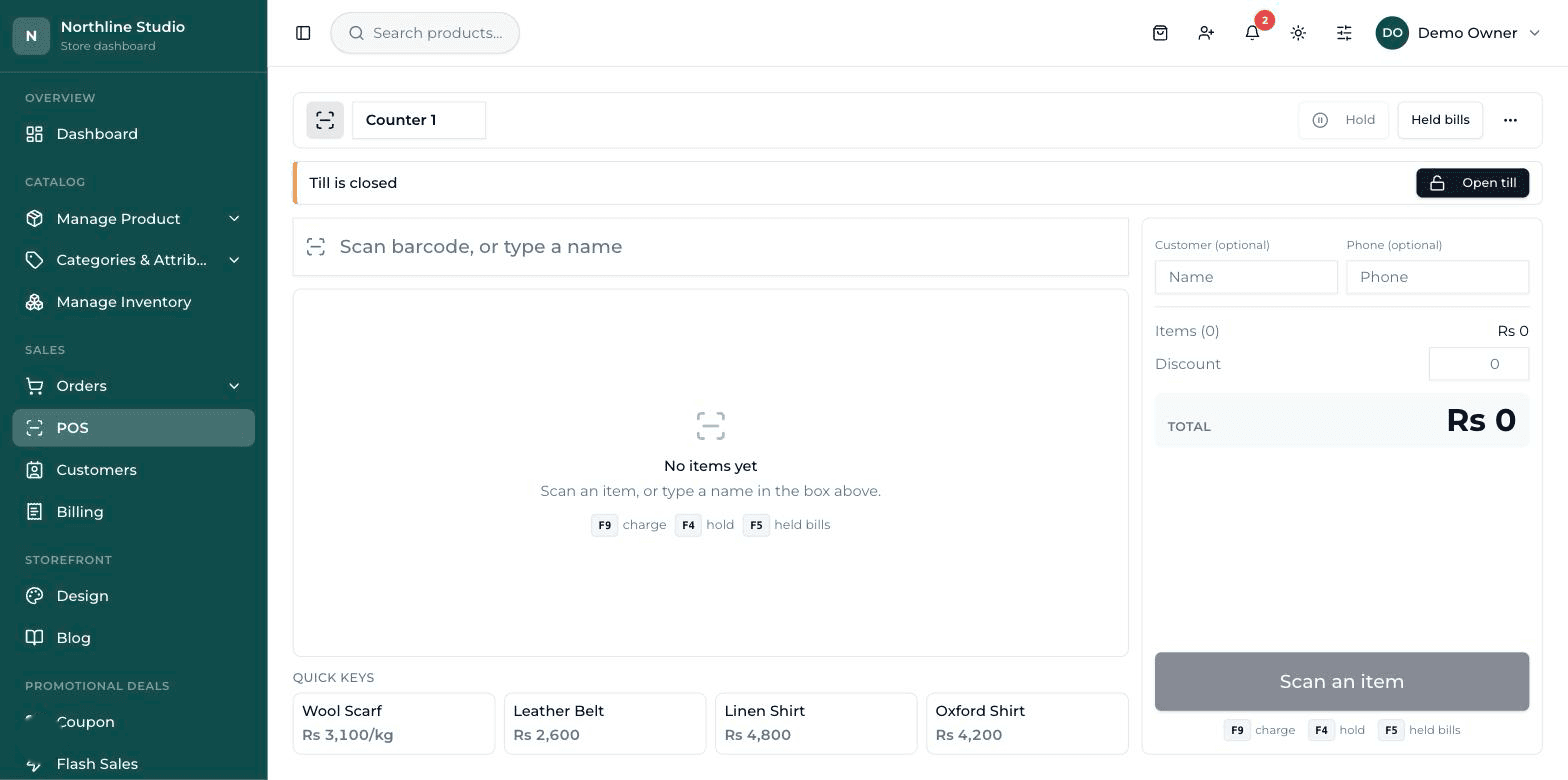
Ring a sale in seconds
Scan a barcode, take cash, card or a split of both, print the receipt. A product sold at the counter never has to be typed in twice.
Hold a bill and come back to it
Park a bill while that customer goes back for one more thing, serve the next person, then bring the first bill back and finish it.
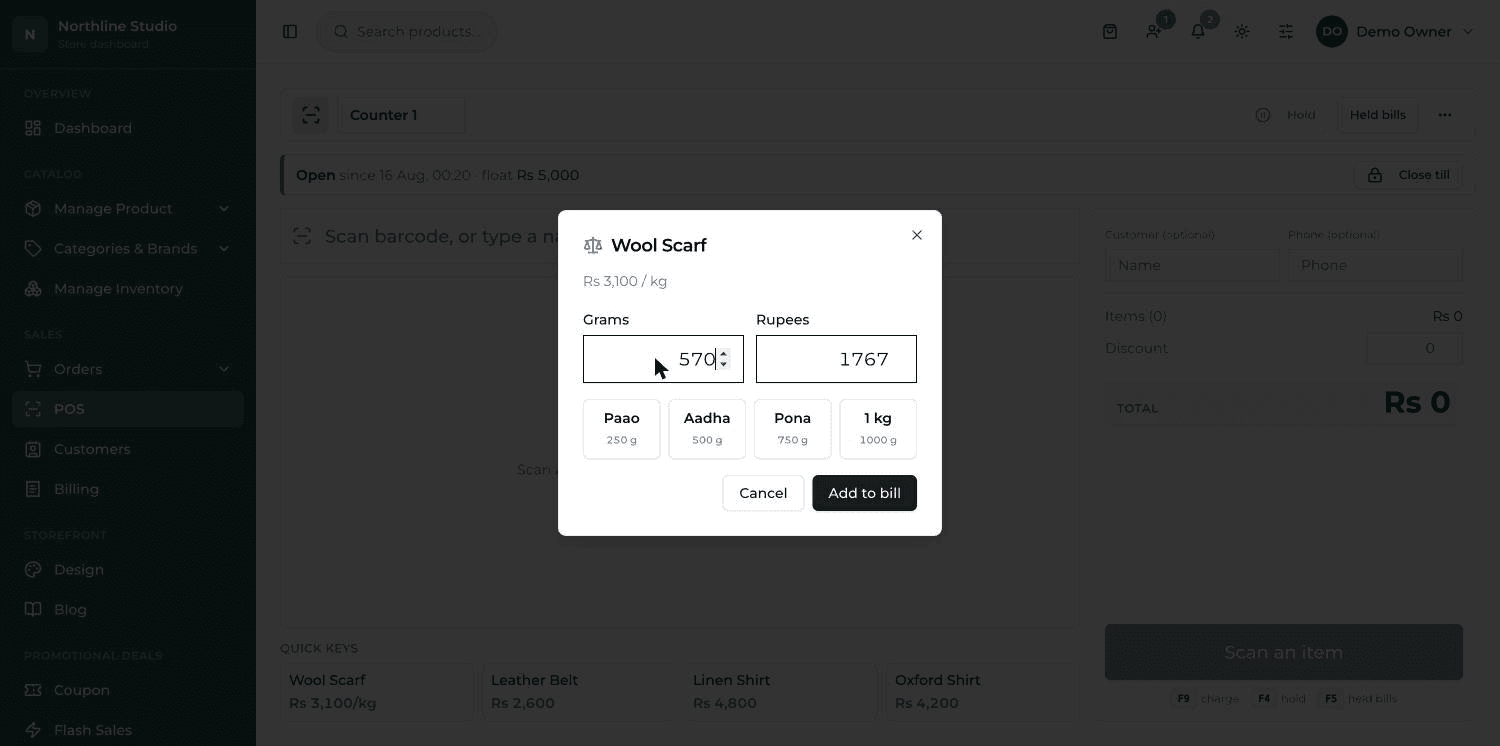
Sell by weight
Loose goods carry a price per kilo and sell by the gram. Put it on the scale, type the weight, and the price is worked out for you — and taken off the right amount of stock.
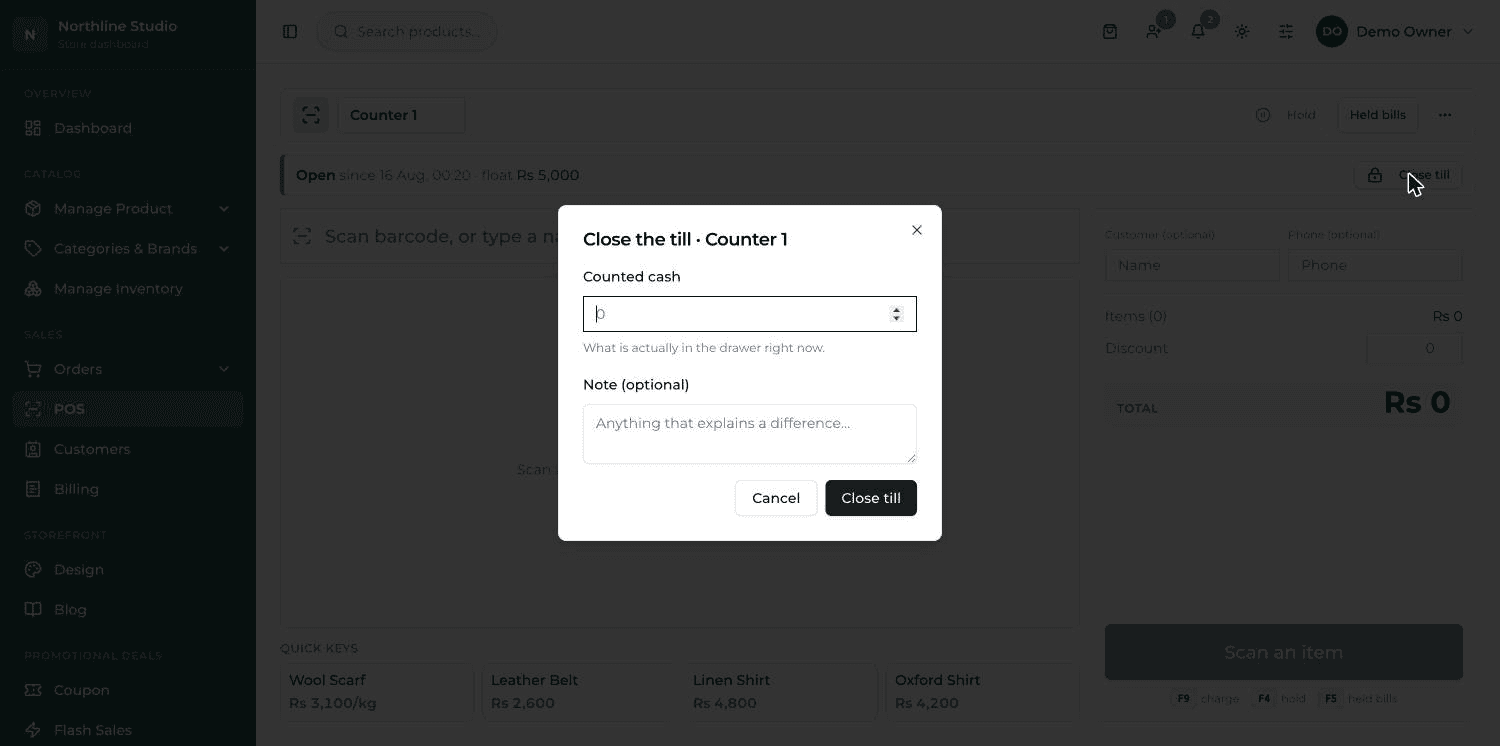
Close the till and know where you stand
Open a shift with the float, close it with what is actually in the drawer, and see the day's cash, card, refunds and whether you are short.
Rules that protect the till
A discount needs a manager to approve it, and a return at the counter cannot go past what that bill actually sold.
More than one shop
Each branch keeps its own stock and its own till. Move stock between branches, receive new stock in with the supplier and cost, and keep tap keys on screen for the things with no barcode.
What it looks like
The rest of it
- Staying in controlWho can do what — and what happens when someone gets it wrong.
- Growing the businessYour own address, found on search, and paid for properly.
- Your shop, your lookThe site your customers see — set up for your trade, then changed from the dashboard.
- Getting people to buyRun a promotion yourself, on the day you decide to run it.
- Running the shopEverything you touch on a normal working day, in one place.
Ready to put your shop online?
Start with a conversation. No obligation, and we will tell you straight if this is not the right fit for your business.